Made for Connected Workflows
Why Ludi Jira integration works better for team sessions
Jira is where work is tracked, but collaboration often happens elsewhere. Ludi brings Jira into the session, allowing teams to discuss, estimate, and update work together on a shared board, with everything synced back automatically.

Keep Jira as the source of truth
All updates made during the session sync back to Jira automatically, so nothing needs to be copied or updated later.

Collaborate on backlog items visually
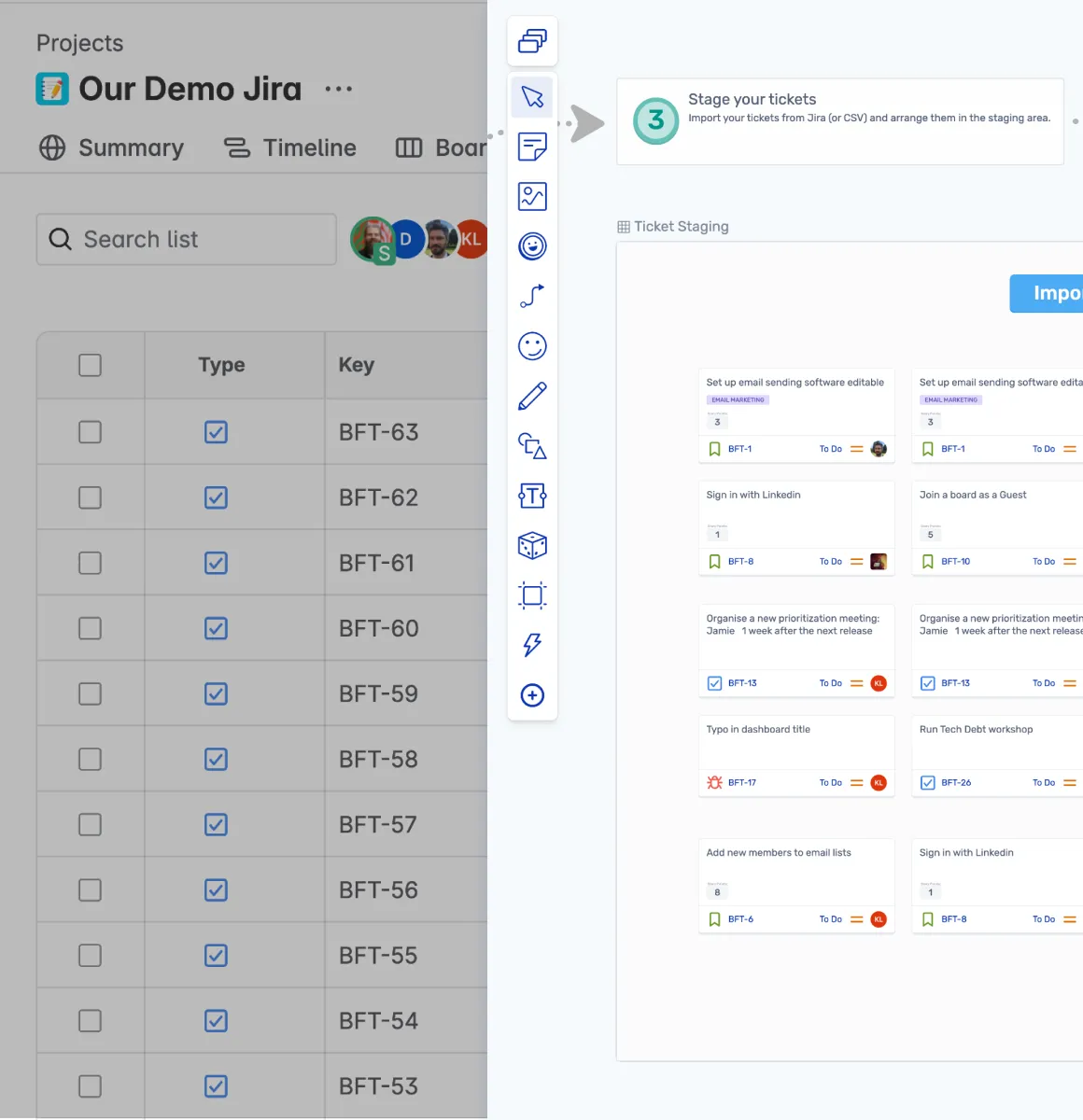
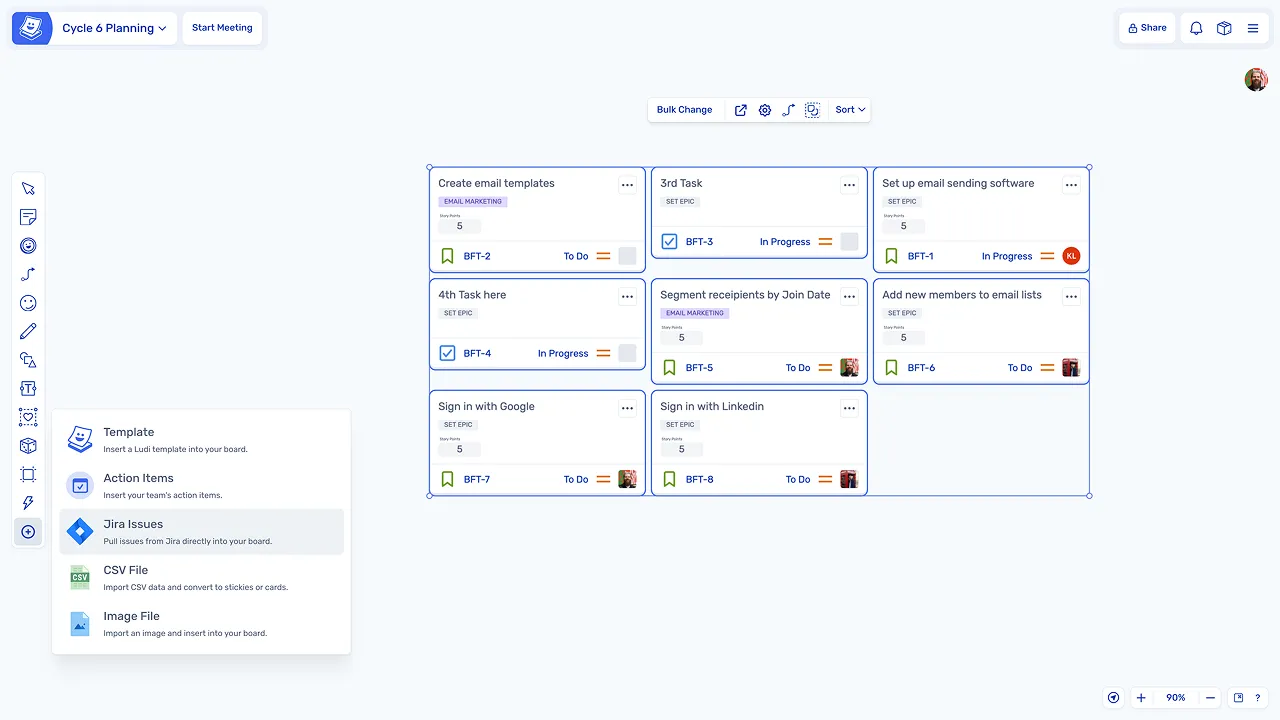
Teams can pull Jira issues onto the board and interact with them together instead of reviewing a static list.

Estimate in context, not in isolation
Stories can be discussed, clarified, and estimated on the same board, without switching to separate tools.

Remove manual updates after meetings
Changes such as estimates and new issues are synced in real time, eliminating the need for follow-up admin work.

Turn ideas into Jira issues instantly
Sticky notes created during sessions can be converted into Jira issues directly from the board.

Keep the team in one workflow
Planning, refinement, and estimation all happen in the same space, reducing context switching between tools.
What is Jira integration?
Jira integration connects Ludi directly to Jira, allowing teams to work with their backlog on a visual whiteboard. Teams can pull issues onto the board, collaborate on them during sessions, and sync updates back automatically.
This integration is used across sessions such as sprint planning, backlog refinement, estimation, and retrospectives, while keeping Jira as the system of record throughout.
How teams use Jira integration in Ludi
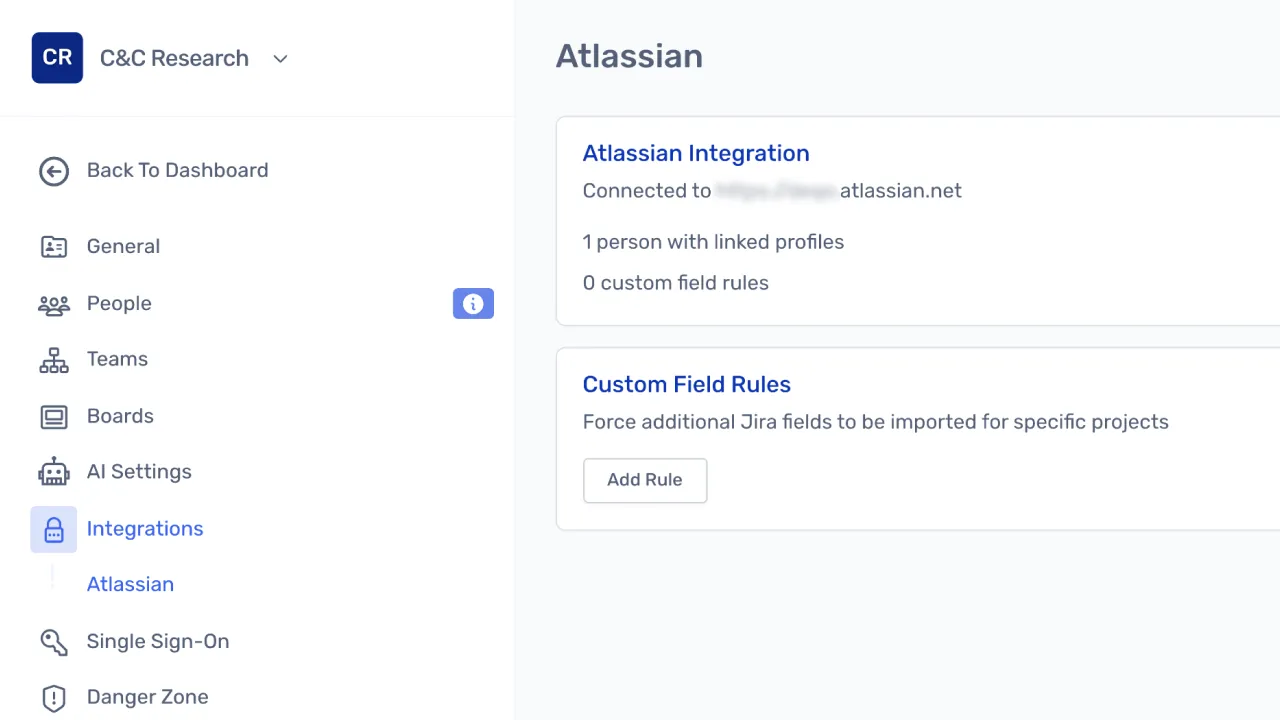
Connect Jira to your workspace
Teams connect their Jira instance once through team settings. From that point, Jira issues are available to bring into any session without additional configuration.
Pull backlog items onto the board
During a session, Jira issues are brought onto the board so the team can review and work with them visually, discussing scope, priority, and effort together.
Estimate collaboratively
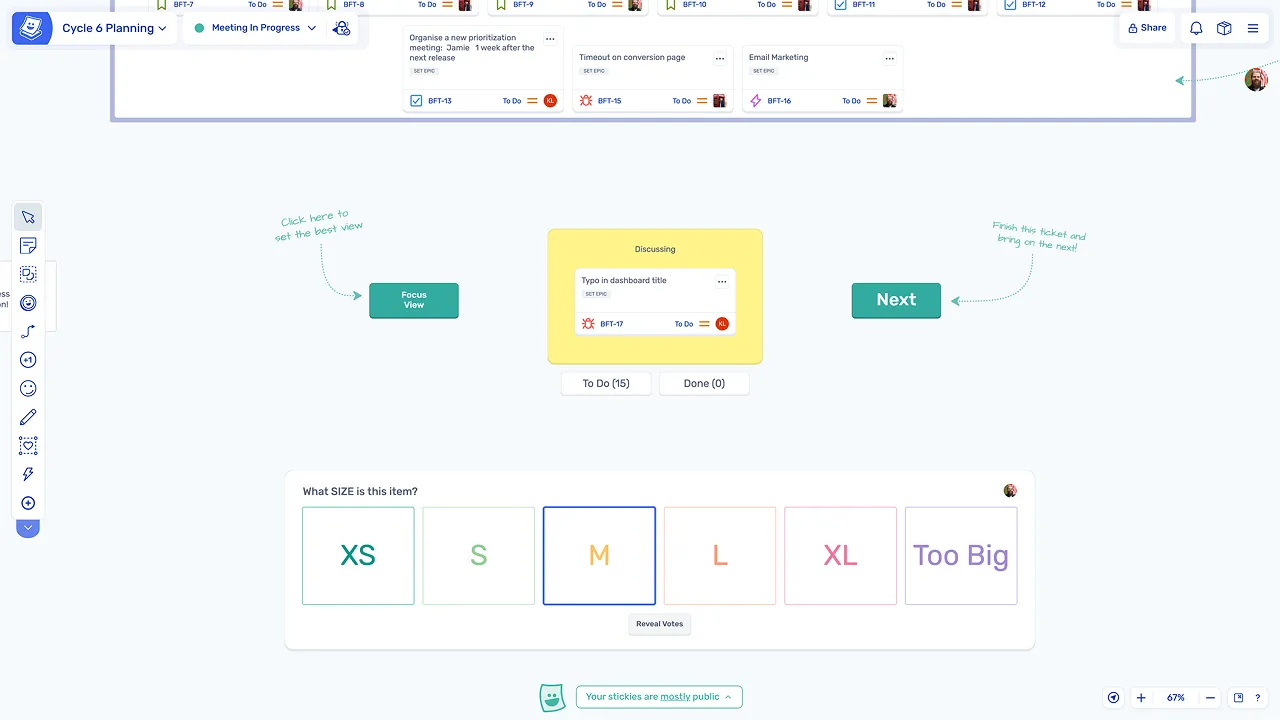
Stories can be estimated using Fibonacci or T-shirt sizing, with estimates syncing back to Jira automatically. Teams discuss, agree, and move on without any manual follow-up.
What makes Ludi Jira integration different
Two-way sync within structured sessions
Updates to issues are synced automatically while the team works through a guided session, rather than on an unstructured canvas where changes can be missed.
Estimation on the same board
Teams can discuss, estimate, and agree on work without leaving the board or switching tools, keeping the session focused and efficient.
Convert ideas into backlog items instantly
Any sticky note can become a Jira issue, allowing new work identified during sessions to be captured and tracked immediately without leaving Ludi.