Made for Team Collaboration
Why Ludi is the best online whiteboard for teams
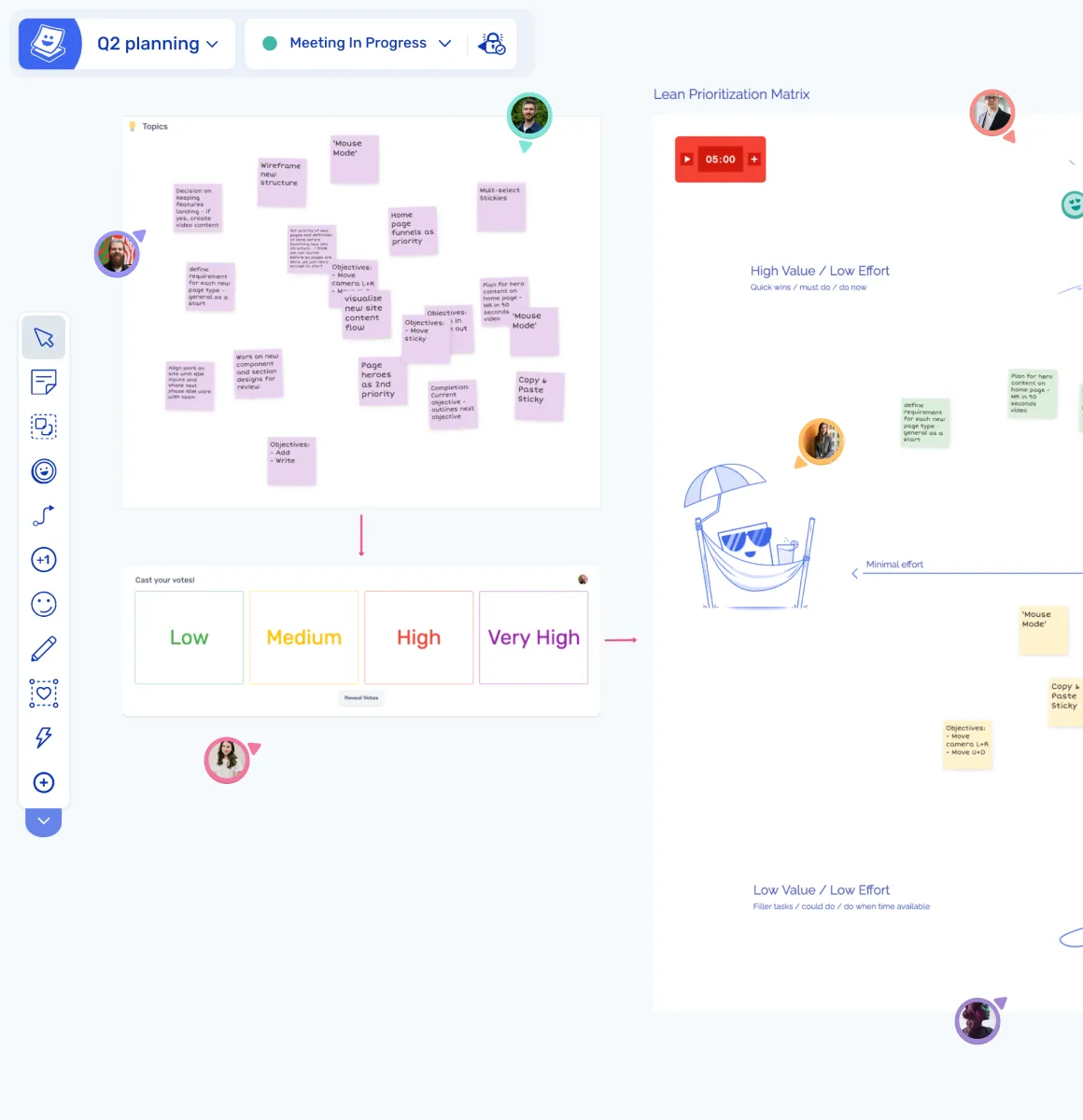
An online whiteboard should do more than provide a blank canvas. It should help teams collaborate, stay focused, and move from discussion to outcomes. Ludi is designed for real-time team sessions, combining visual collaboration with built-in facilitation and structured workflows.

Real-time collaboration for the whole team
Everyone works on the same board at the same time, seeing live cursors, changes, and ideas as they happen.

Structured sessions, not just a blank canvas
Templates, zones, and activity frames give teams a clear structure for meetings and workshops without starting from scratch.

Built-in facilitation tools
Timers, private writing, and host controls help guide the session and keep participants focused throughout.

Encourage full team participation
Private writing allows everyone to contribute independently before ideas are shared, not just the most vocal participants.

Keep meetings focused and timeboxed
Timers and structured flows help sessions stay on track and avoid unnecessary discussion.

No learning curve for participants
Simple interactions like double-clicking to create a sticky and dragging to move around mean anyone can start contributing immediately.
What is an online whiteboard?
An online whiteboard is a shared digital canvas where teams collaborate in real time. Participants can add notes, organise ideas, and work together visually instead of relying on documents or screen-sharing.
In Ludi, the whiteboard is used for structured team sessions such as retrospectives, sprint planning, estimation, brainstorming, workshops, and other collaborative activities. The whole team joins the same board and works together during timeboxed sessions.
How teams use the online whiteboard in Ludi
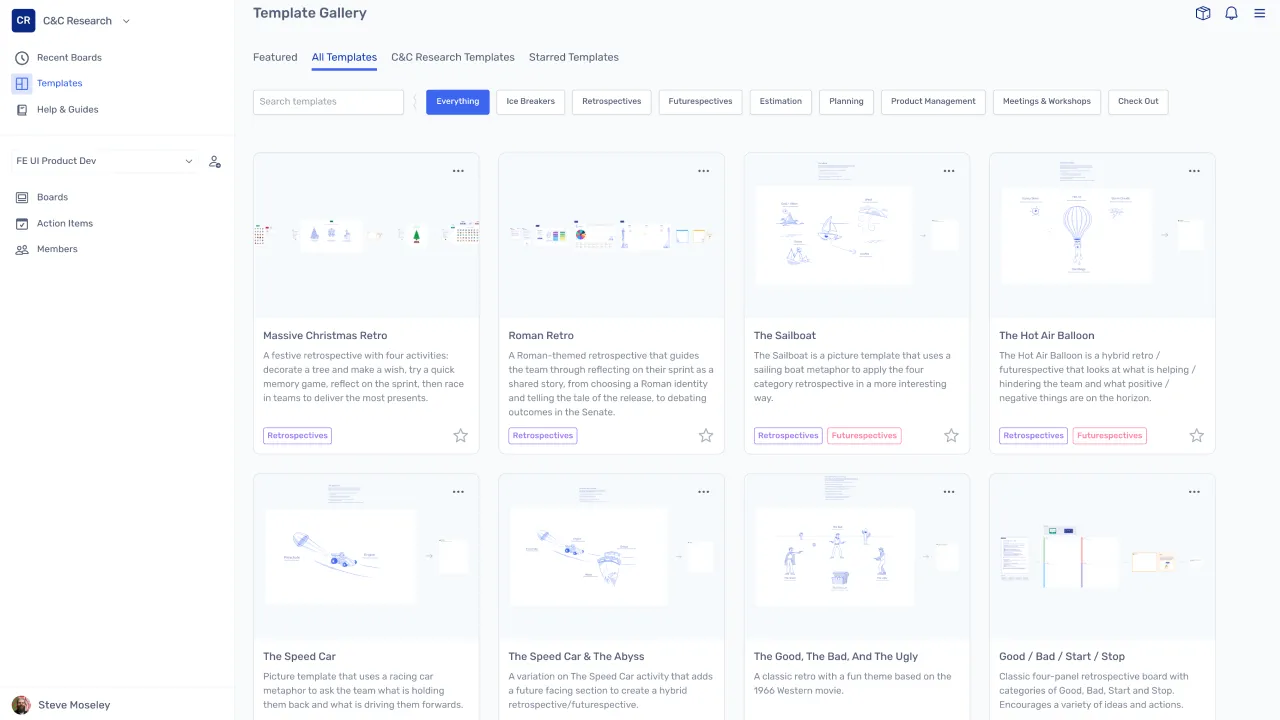
Start with a template or blank board
Choose from a library of templates designed for common team activities, or start with a blank board for more open-ended sessions. Templates provide structure without requiring setup or configuration.
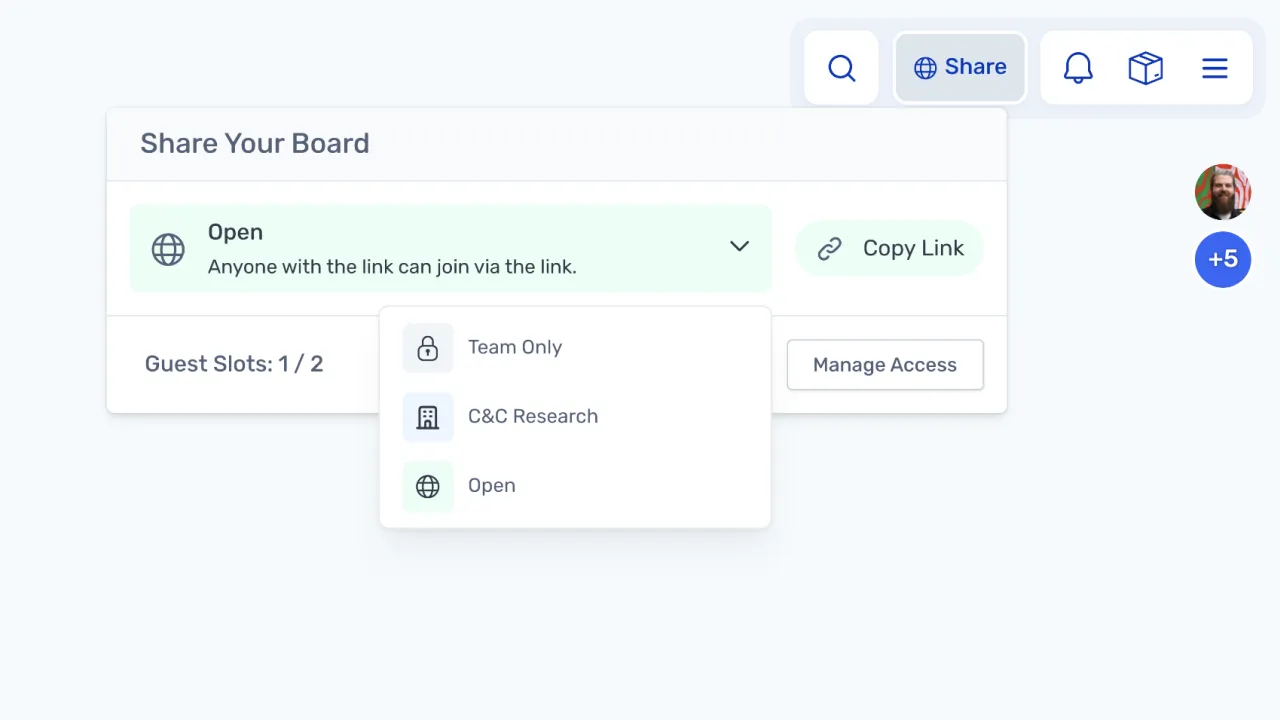
Invite the team to join
Share a board link so team members and guests can join and collaborate on the same canvas. Participants can start contributing immediately without creating an account or learning the tool.
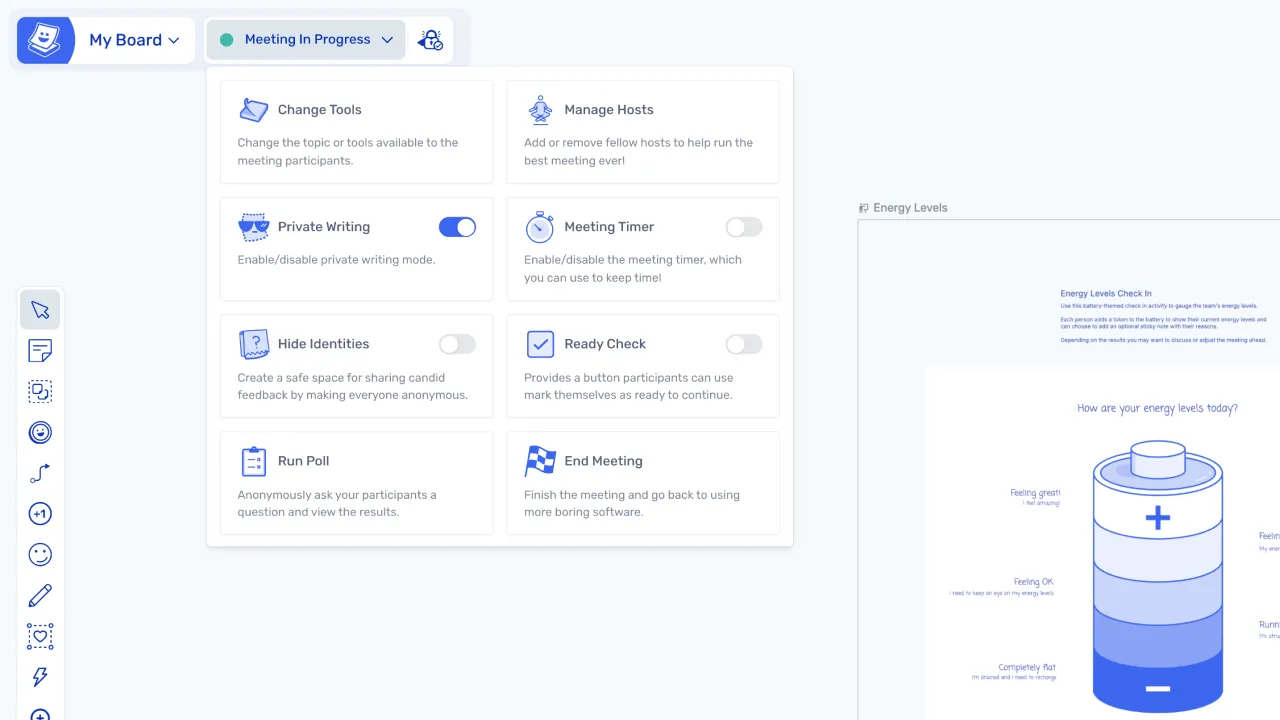
Guide the session with facilitation tools
Use timers, private writing, activity frames, and host controls to structure the session and guide participants through each phase, from ideation through to decisions and actions.
What makes Ludi different
Purpose-built for agile sessions
Ludi is designed specifically for agile meetings and team sessions, rather than adapting a general-purpose canvas to fit these use cases.
Facilitation built into the tool
Activity frames guide the team through each phase of a session, supporting a structured flow from writing to discussion, grouping, voting, and actions.
Designed for participants, not just setup
The experience focuses on the people joining the session, ensuring that participants can contribute easily from the moment they join the board.