Made for Meeting Outcomes
Why Ludi is the best option for task tracking
Task tracking only works when actions are visible, assigned, and consistently reviewed. Ludi connects actions directly to the meetings where they are created, keeps them visible between sessions, and brings them back for review, so teams can follow through on commitments instead of losing track of them.

Actions are not lost after the meeting
Actions created during sessions are tracked and remain visible, instead of being buried in notes or spreadsheets.

Stay on track with reminders
Assigned team members receive email reminders for upcoming and overdue actions, helping ensure follow-through.

Review actions in every session
Actions from previous boards are automatically brought into the next meeting, so the team can review progress together.

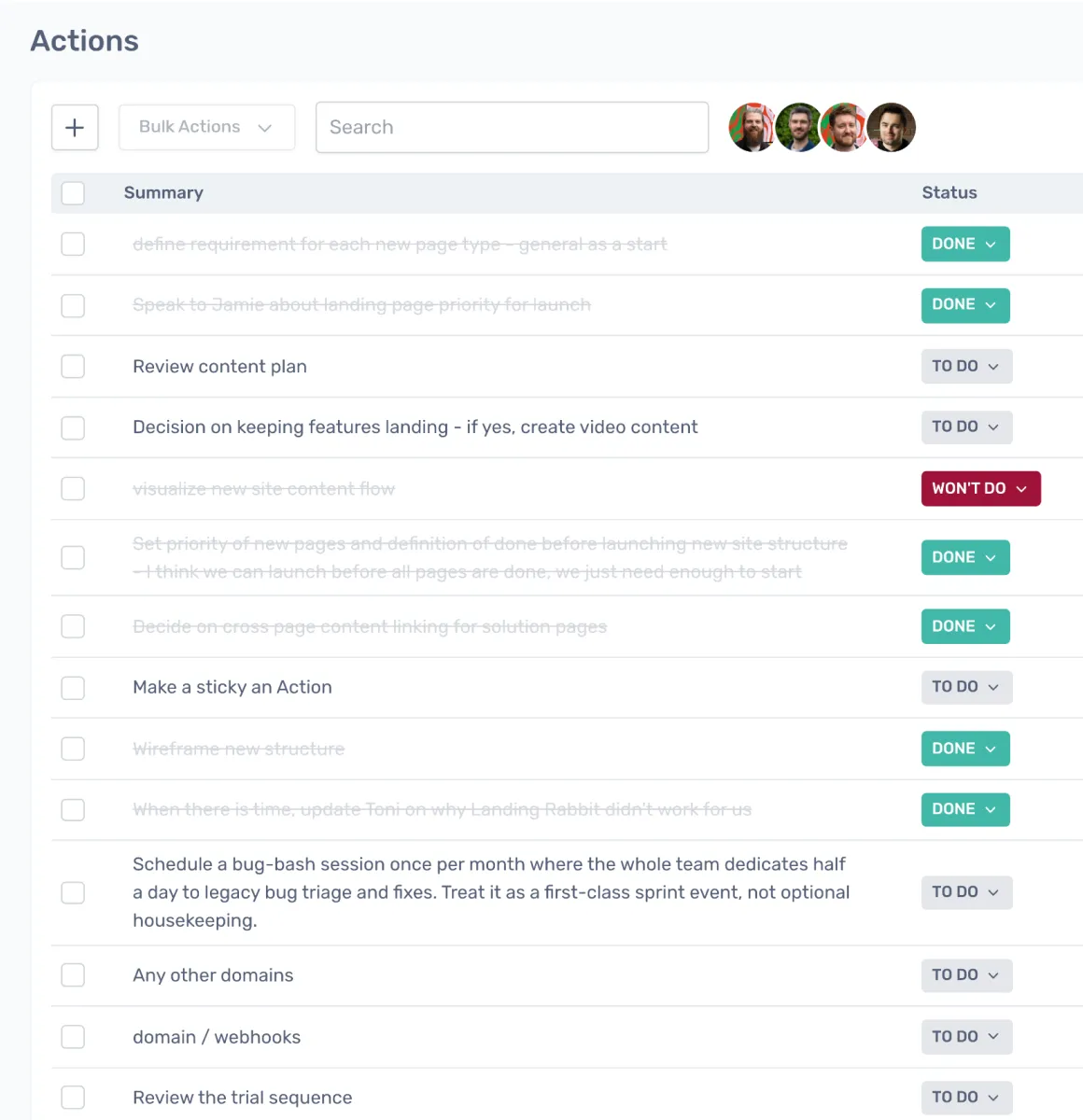
See all actions in one place
A central dashboard shows actions across boards, making it easy to track what is done, overdue, or needs attention.

Keep actions connected to context
Actions stay linked to the original sticky and board, so the team always has the context behind each task.

Create and manage actions outside meetings
Actions can be created and updated directly from the dashboard, not just during sessions.
What is task tracking?
Task tracking in Ludi is the full lifecycle of actions created during meetings — from creation and assignment through reminders, review, and completion. These actions are typically created from sticky notes during retrospectives, planning sessions, or workshops.
Between meetings, actions are managed through a central dashboard, and at the start of the next session, outstanding items are brought back for review. The goal is to ensure that decisions and commitments made during meetings are followed through.
How teams track tasks in Ludi
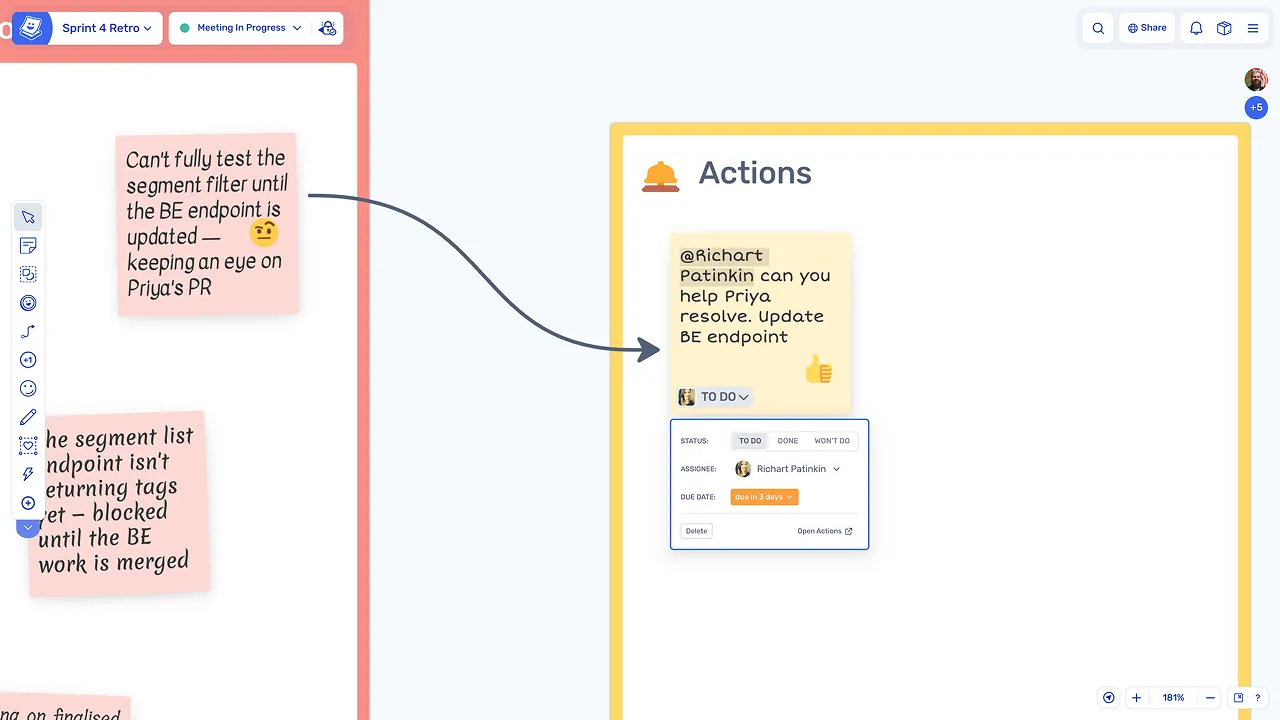
Create actions during a session
Any sticky can become an action by assigning an owner and setting a due date directly on the board. Actions are created in context, linked to the discussion and ideas that prompted them.
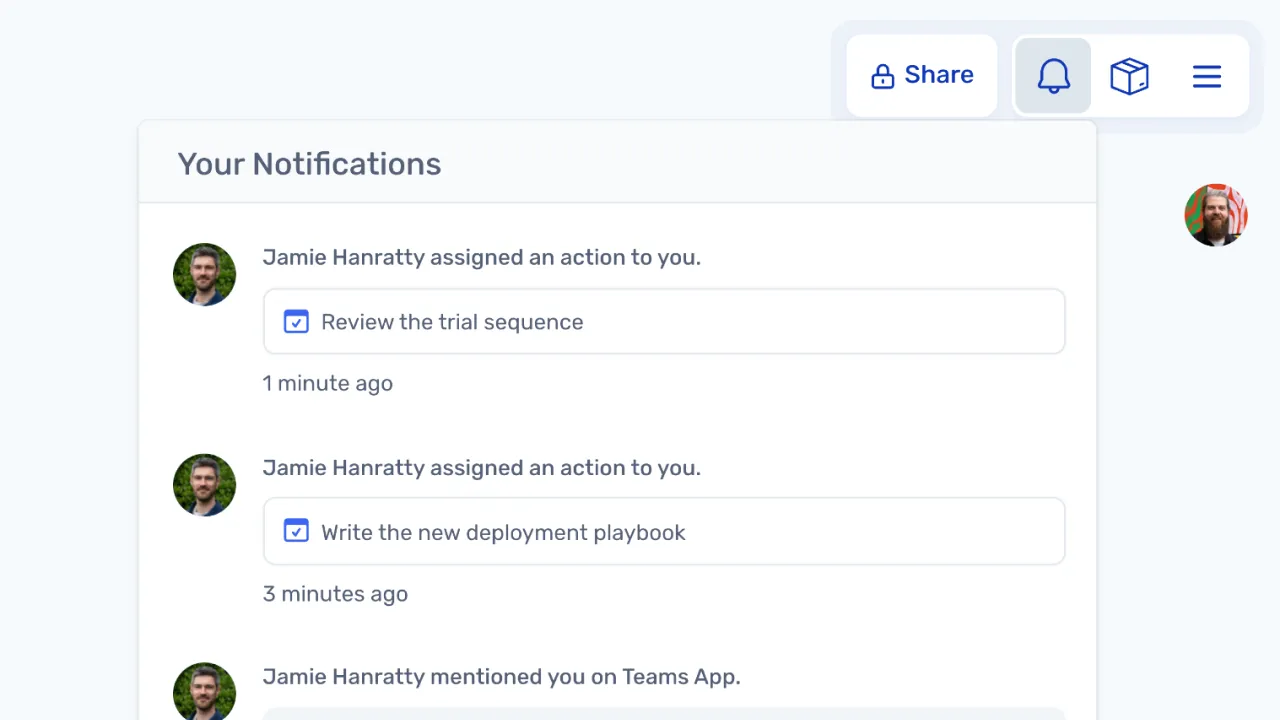
Notify assignees automatically
Assigned team members receive notifications and email reminders as deadlines approach, keeping actions visible without relying on manual follow-up from the facilitator.
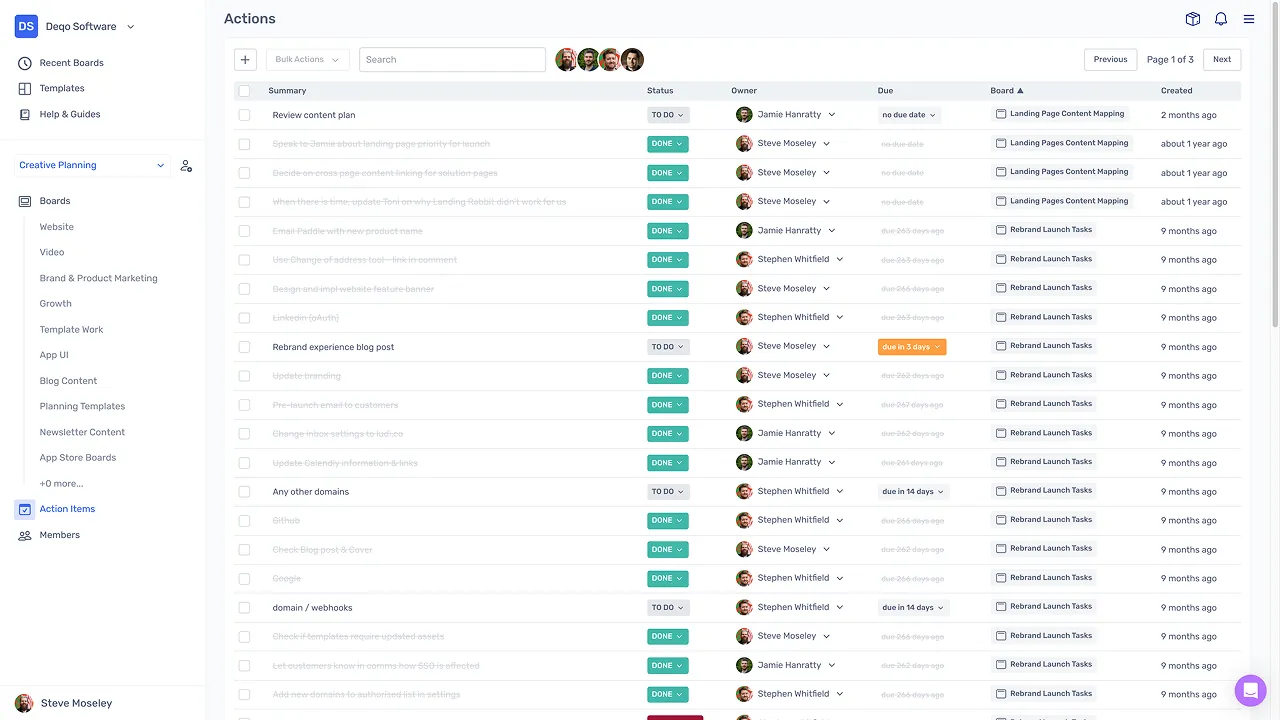
Manage actions between sessions
The Action Items dashboard provides a central view of all actions across boards, where items can be filtered, edited, and updated. Teams can stay on top of commitments without waiting for the next meeting.
Keep commitments visible across sessions
Create and update actions from the dashboard
Actions can be created and managed directly from the dashboard, outside of any board, so teams can track and update commitments between meetings.
Bring actions into the next session
Actions from previous boards are imported into the next meeting, staying synced to their original source so the team can review progress in context.
Review and update as a team
The team reviews action status together, marks items as done, and discusses or reassigns overdue actions, keeping everyone aligned on outstanding commitments.