Design Review Template
The Design Review Template provides a structured framework for presenting work-in-progress designs, gathering stakeholder feedback, and capturing actionable next steps. This template creates a documented point-in-time review that preserves the reasoning behind design decisions, rather than letting valuable context get lost in evolving design files.
What Is a Design Review?
A design review is a collaborative session where designers share their work with stakeholders, team members, and other collaborators to gather feedback before moving forward. Unlike informal feedback requests, a structured design review provides the full context behind design decisions—including project goals, research findings, and specific design rationale.
This template transforms design reviews from scattered comments across multiple channels into a focused, organized conversation. By capturing everything in one collaborative space, you create a permanent record of the design evolution and the reasoning behind each decision.
Benefits & When to Use
Use this template when you need to:
- Present early-stage designs while providing crucial context about project goals and user research
- Gather structured feedback from multiple stakeholders in an organized way
- Document design decisions with the rationale that informed them
- Create clear action items from feedback without losing track of individual comments
- Review designs asynchronously when team members work across different time zones
- Maintain a historical record of design iterations and the reasoning behind changes
This template works best during the design phase of a project, particularly when transitioning from discovery to initial concepts, or when presenting design iterations that need team input before implementation.
How to Run a Design Review Session
Before the session (10-15 minutes):
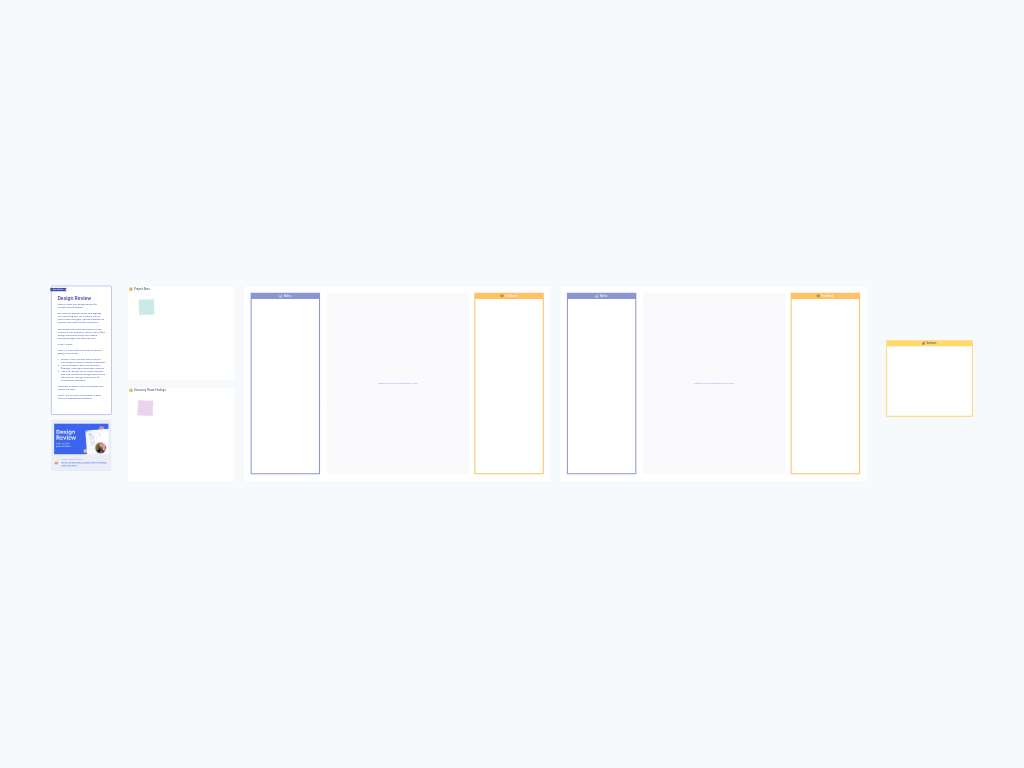
- Fill in the "Project Aims" zone with the core objectives and success criteria for the design work
- Add your key findings from the discovery phase—user research insights, competitive analysis, technical constraints, or business requirements that informed your design decisions
- Paste your design asset into the central gray area (delete the placeholder shape first)
- Add sticky notes to the "Notes" column explaining specific design decisions, calling out areas where you want focused feedback, or highlighting alternative approaches you considered
During the session (45-60 minutes):
- Walk through the context (10 minutes): Start by reviewing the project aims and discovery findings so everyone understands the constraints and goals shaping the design
- Present the design (10-15 minutes): Walk stakeholders through your design, referencing your notes in the left column to explain your thinking
- Gather feedback (20-25 minutes): Have participants add sticky notes to the "Feedback" column with their reactions, questions, and suggestions—encourage them to be specific about what works well and what needs improvement
- Group and discuss (10 minutes): Review the feedback together, grouping similar comments and discussing any questions or concerns that emerged
- Define actions (5-10 minutes): Move the most critical feedback items into the "Actions" zone and assign owners and deadlines
After the session (10 minutes):
- Clean up the board by removing any duplicate feedback or off-topic comments
- Ensure all action items have clear owners and next steps
- Share the board link with participants as a reference point
For multiple design variants or pages, duplicate the center design review section (the large purple area containing Notes/Design/Feedback zones) for each asset you want to review.
Tips for a Successful Design Review
Set expectations early. Before participants start adding feedback, clarify whether you're looking for directional input on overall concepts or detailed critique on specific elements. This prevents the session from getting derailed by premature pixel-pushing.
Add your notes first. Populate the Notes column before the session with your design rationale. This preemptively answers common questions and helps stakeholders understand your thinking, leading to more substantive feedback.
Encourage specific feedback. Vague comments like "I don't like it" don't help you move forward. Prompt participants to explain what they're reacting to and why it concerns them.
Balance synchronous and asynchronous input. For distributed teams, consider a hybrid approach: have stakeholders review the design and add initial feedback before the meeting, then use the live session to discuss and prioritize those comments.
Don't duplicate existing design tools. This template isn't meant to replace Figma, Sketch, or your design system. Paste in static images or link to live prototypes, but use Ludi to capture the conversation and decisions around those designs.
Separate "nice to have" from "must fix." During the action-setting phase, help the team distinguish between critical issues that block progress and aspirational improvements that can wait. Not all feedback needs to become an action item.
Keep discovery findings visible. Those research insights and project aims aren't just setup—refer back to them during feedback discussions to keep the conversation grounded in user needs and business goals rather than personal preferences.