Made for Facilitation
Why Ludi is the best option for workshop facilitation
Facilitating a session means managing flow, participation, timing, and outcomes at the same time. Ludi is designed to support facilitators directly, giving them control over the session while keeping participants focused, engaged, and contributing throughout.

Guide the session step by step
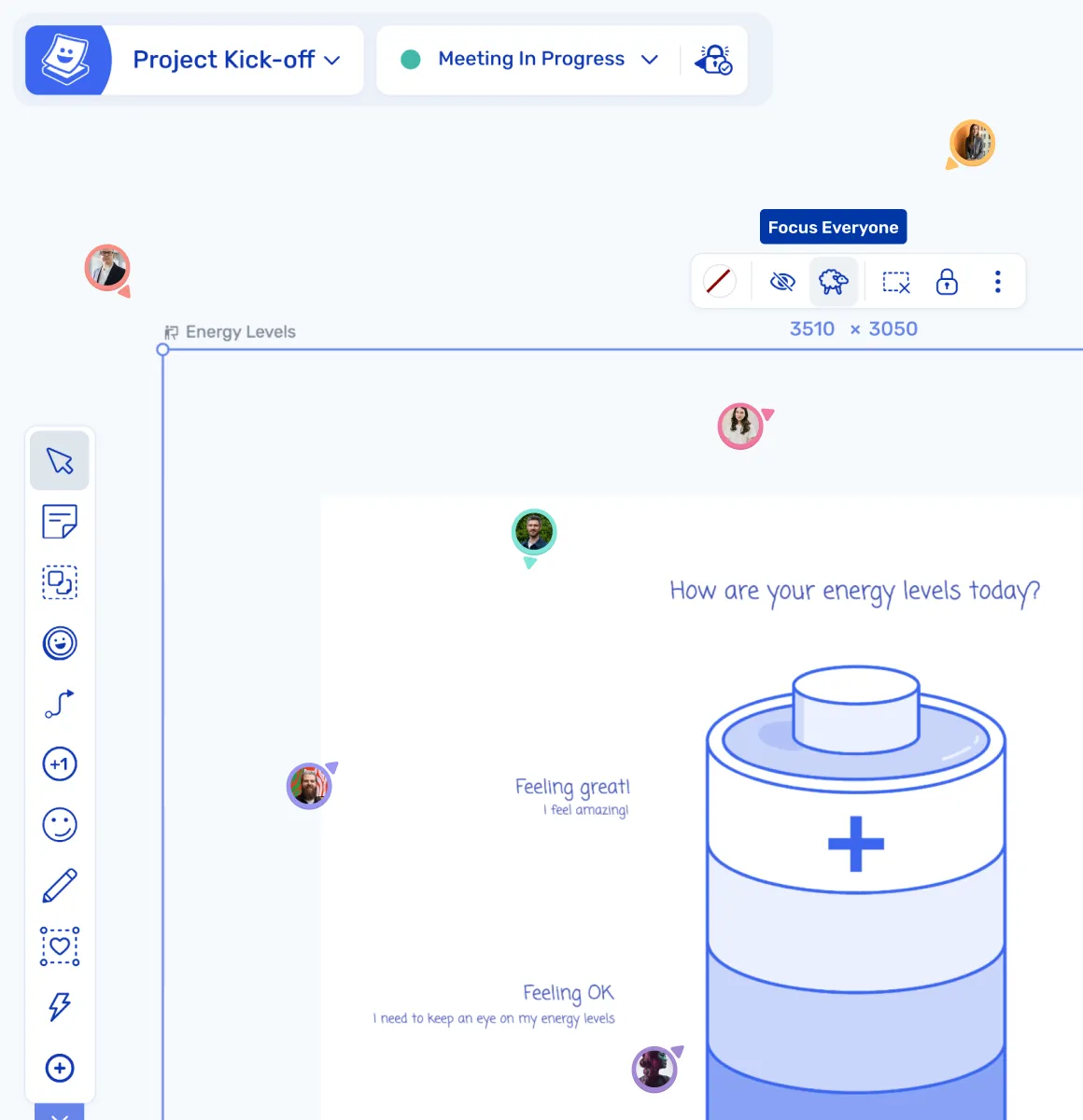
Activity frames define each phase of the session, allowing the facilitator to reveal activities progressively and guide participants through a clear flow.

Keep participants focused and aligned
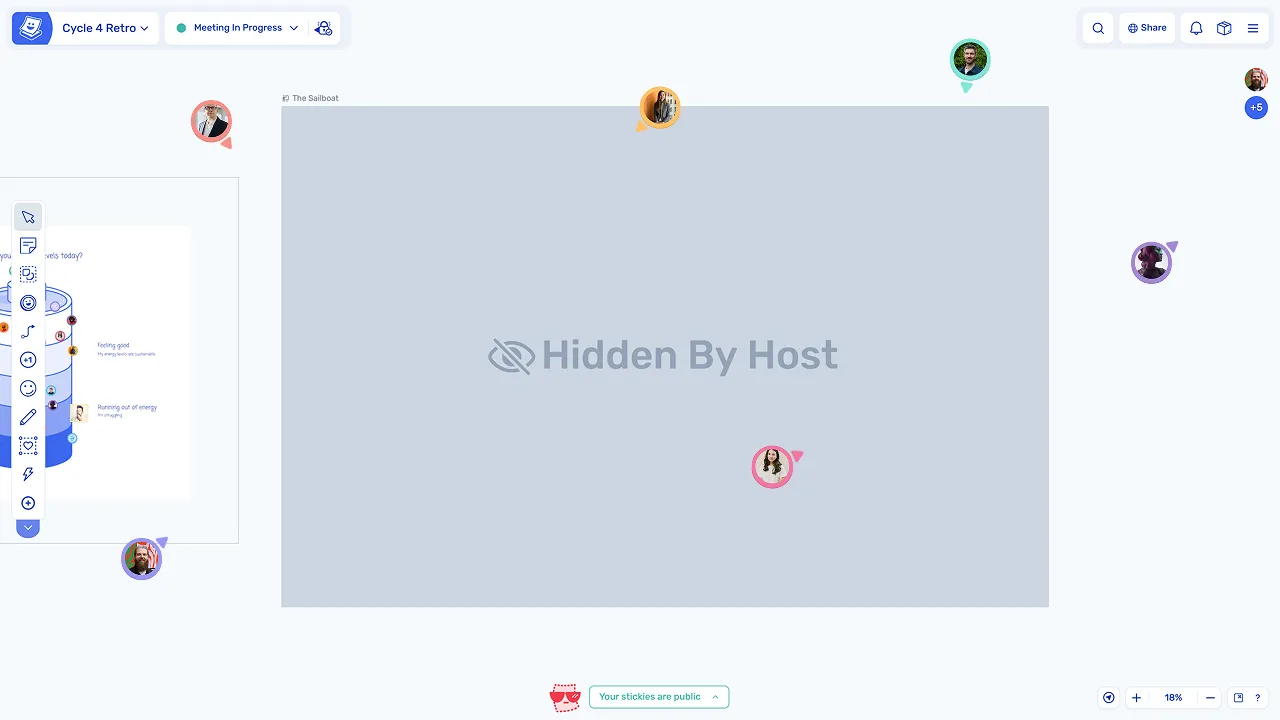
Host controls allow the facilitator to move participants to the current activity, manage what they see, and keep attention on the task at hand.

Ensure everyone contributes
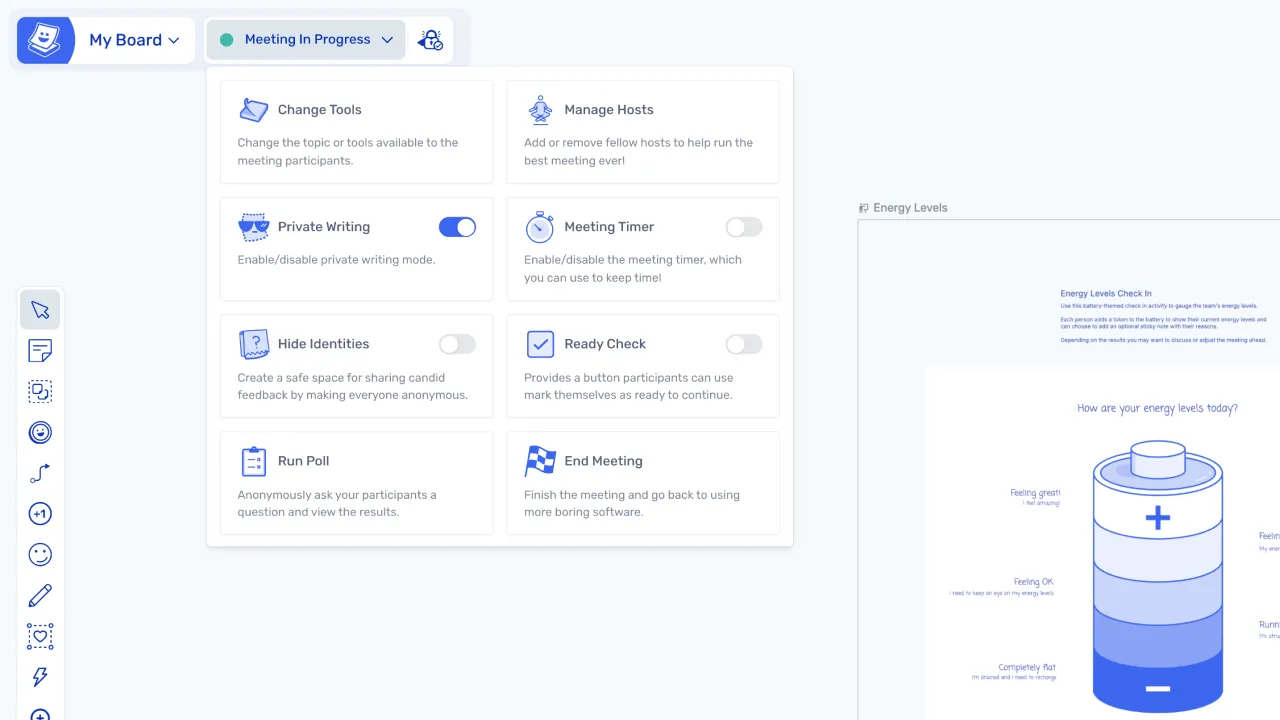
Private writing and anonymous modes help balance participation, giving quieter team members space to contribute independently.

Manage timing without friction
Visible timers keep the session on track, helping the facilitator manage time without constant reminders or interruptions.

Reduce facilitator overhead
Built-in controls handle mechanics like revealing activities, managing tools, and tracking readiness, so the facilitator can focus on the discussion.

Capture and track outcomes
Actions are assigned during the session and tracked with reminders, ensuring follow-up after the workshop.
What is workshop facilitation?
Workshop facilitation is the practice of guiding a group through a structured session — managing the agenda, keeping time, ensuring participation, and driving toward a clear outcome.
The facilitator is responsible for setting up the session, guiding participants through each phase, managing group dynamics, and capturing outcomes. This applies across many types of sessions, including retrospectives, planning, brainstorming, and strategy workshops.
How teams facilitate sessions in Ludi
Set up the session with a template
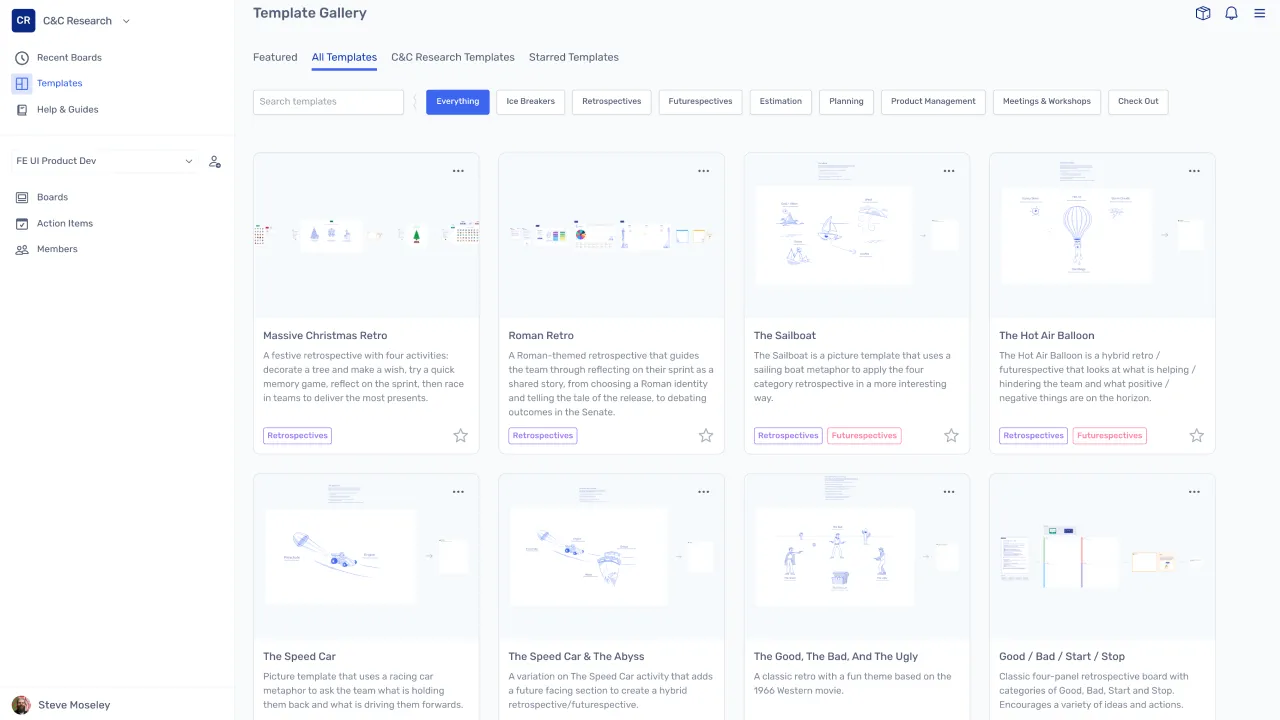
The facilitator chooses a template that matches the session goal, with structure already built into the board. Teams can start contributing straight away without the facilitator needing to set up activities from scratch.
Use Meeting Mode and host controls
Meeting Mode is activated, giving the facilitator access to host controls to manage the session and guide participants. The facilitator can control what participants see, move the group to the current activity, and manage the pace of the session.
Guide participants through each phase
Activity frames define the phases of the session, allowing the facilitator to reveal activities one at a time. Participants follow a clear structure from writing and discussion through to voting, decisions, and actions.
Keep every session focused and outcome-driven
Manage participation and focus
The facilitator can move participants to the current activity, use readiness checks, and control available tools to keep everyone aligned and engaged throughout the session.
Keep the session on track
Timers are visible to all participants, helping manage time without interrupting the flow of discussion or requiring the facilitator to call out time manually.
Capture outcomes and assign actions
Actions are created during the session, assigned to team members, and tracked with reminders and carry-forward into future sessions, so nothing is lost after the meeting ends.