

Made for Collaboration
Why Ludi is the best option for team collaboration
Team collaboration works best when everyone can contribute, build on ideas, and move from discussion to decisions in a shared space. Ludi combines a flexible canvas with structured tools, giving teams the freedom to explore ideas while keeping sessions focused, productive, and outcome-driven.

Everyone contributes, not just the presenter
Instead of one person screen sharing while others watch, everyone can add ideas, notes, and input on the same board at the same time.

Flexible canvas with built-in structure
Teams can work freely on a shared board while using templates, zones, and activity frames to keep sessions organised and productive.

Recreate in-person collaboration remotely
Ludi brings the experience of a whiteboard and sticky notes into a digital workspace that works for remote and hybrid teams.

Capture outcomes, not just ideas
Decisions, ideas, and actions are captured on the board and can be tracked or shared, instead of being lost in meeting notes.
What is team collaboration?
Team collaboration sessions are meetings where a group works together to generate ideas, solve problems, make decisions, or align on direction. These sessions can include brainstorming, workshops, diagramming, and other forms of visual collaboration.
Unlike structured agile ceremonies, collaboration sessions are often more open-ended and exploratory. They may involve cross-functional teams, stakeholders, or external participants working together toward a shared outcome.
How teams collaborate in Ludi
Start with a template or blank board
Choose a template for brainstorming, workshops, or diagramming, or start with a blank board depending on the type of session. Templates provide a structured starting point without requiring setup.
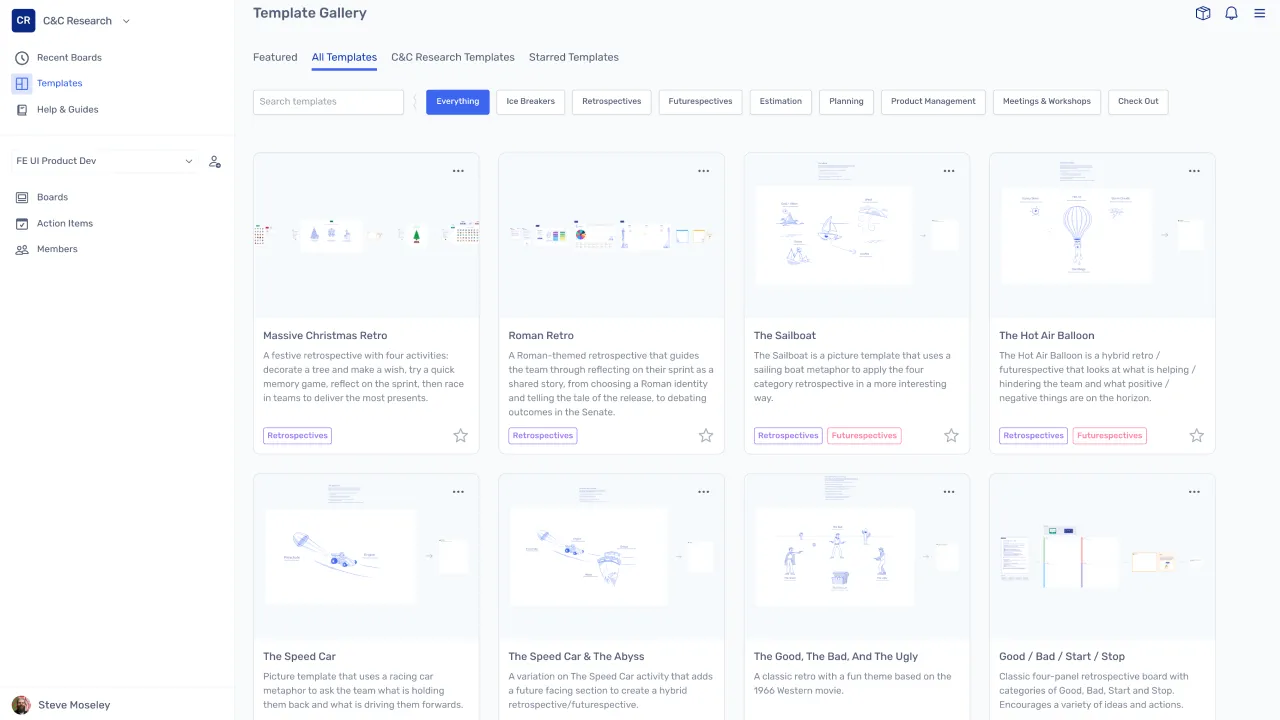
Guide the session with facilitation tools
The host uses timers, private writing, and activity frames to guide participants through each phase of the session, keeping the group focused and moving toward a clear outcome.
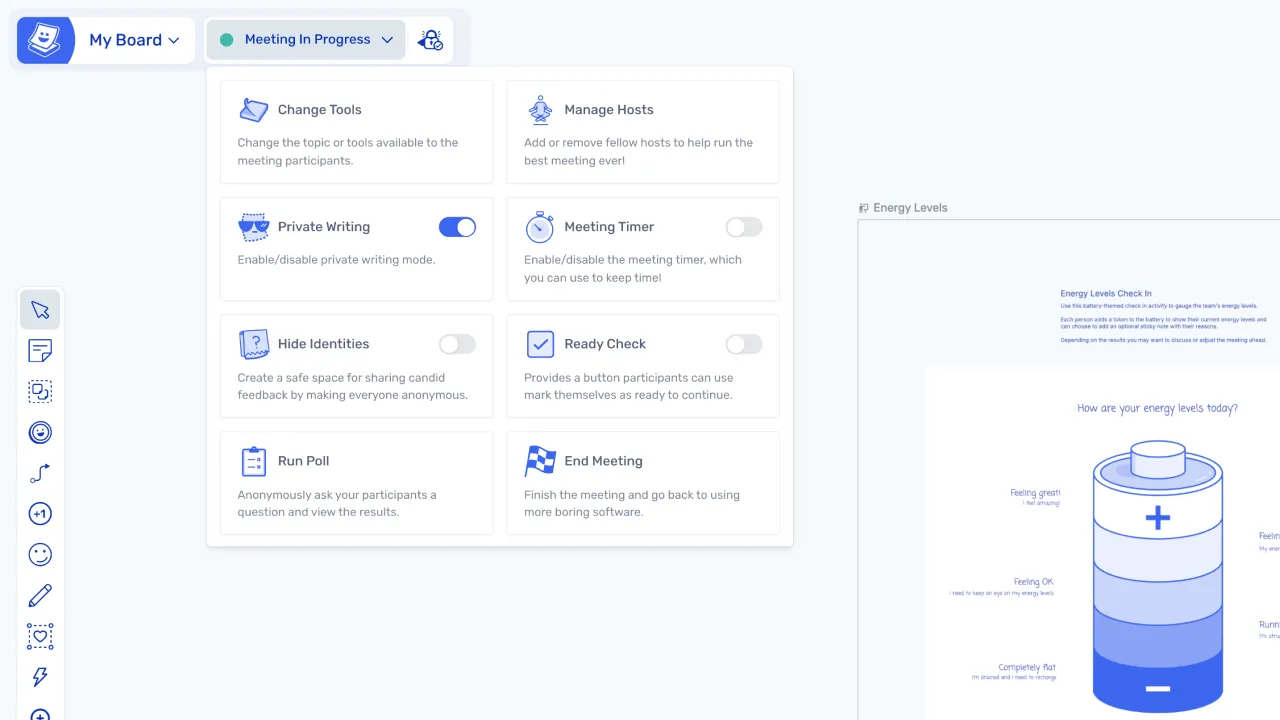
Collaborate in real time
Participants add sticky notes, draw, place images, and build ideas together on a shared canvas. Everyone can see and interact with each other's contributions as they happen.
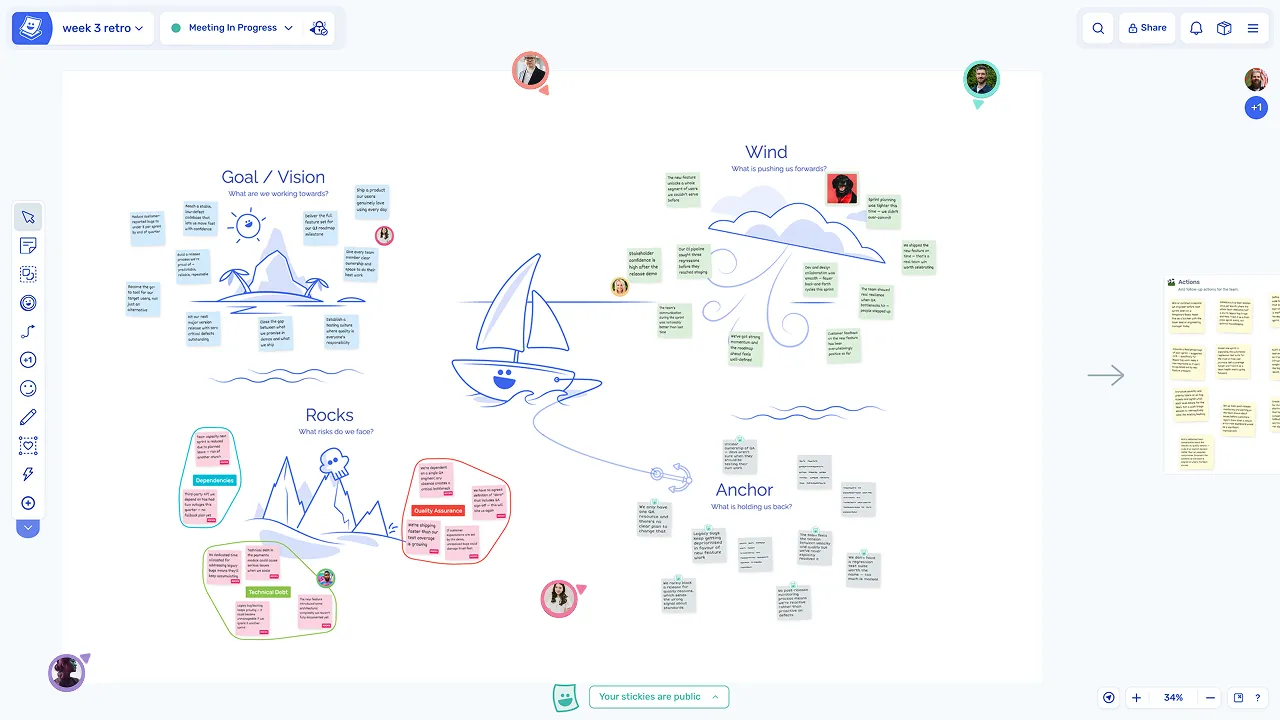
Move from discussion to decisions
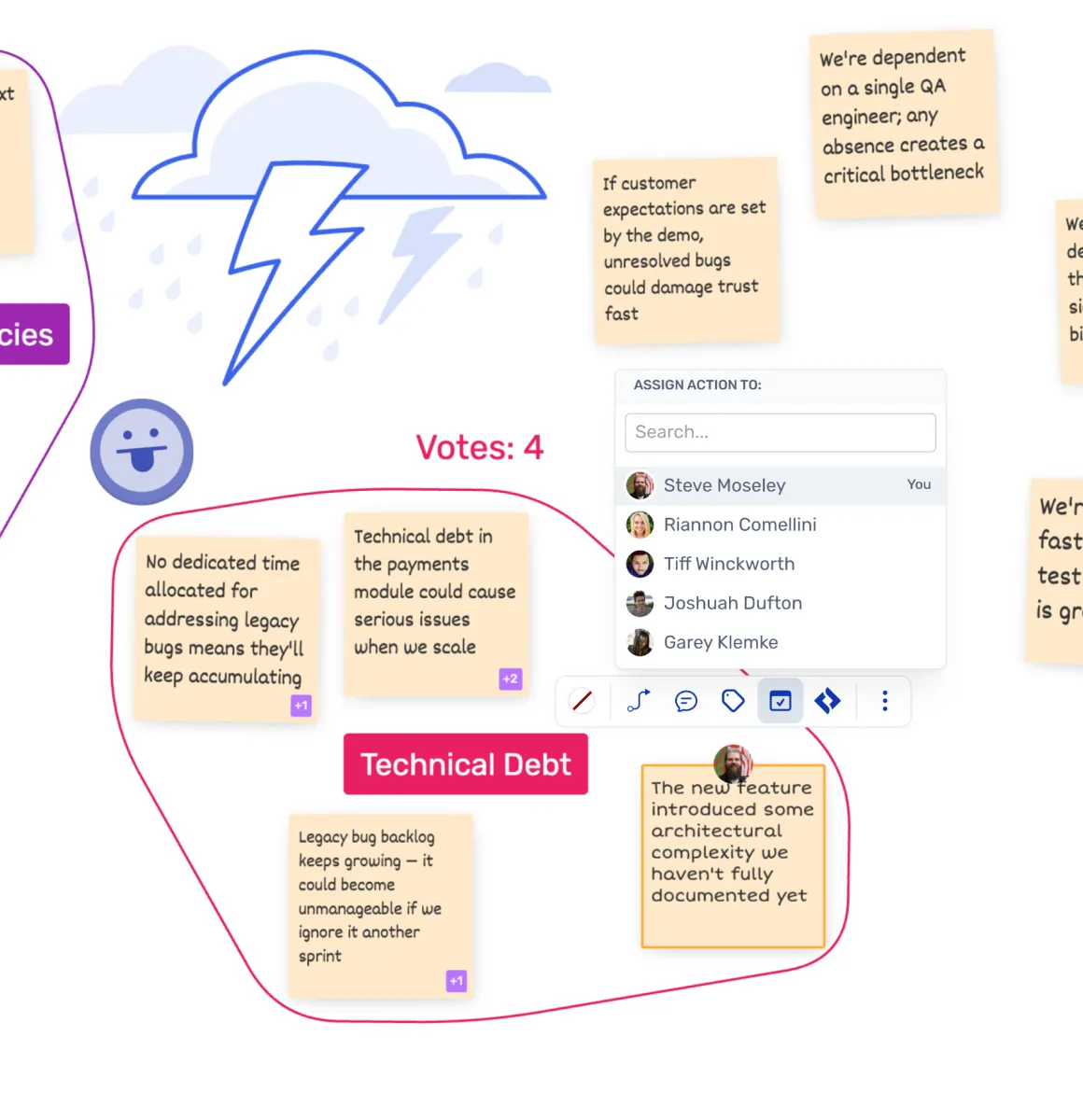
Surface priorities and decisions
Voting and polling help the group identify the most important ideas or directions, making it easier to reach consensus and move forward without extended debate.
Capture and share outcomes
Results from the session can be captured as actions or exported for sharing, so the work done in the meeting leads to clear next steps that the team can follow up on.
Team collaboration activities you can run in Ludi
Explore specific collaboration sessions and how to run each one in Ludi.
Brainstorming
Generate ideas, group them into themes, and prioritise the best ones in a collaborative session.
Collaborative Workshops
Plan and facilitate multi-phase sessions where teams generate ideas, discuss, and make decisions.
Diagramming and Mindmaps
Create diagrams and mindmaps to explore ideas and map complex systems collaboratively.
Task and Action Tracking
Create, assign, and follow up on actions from meetings and workshops in one connected workflow.
Visual Collaboration
Work together on a shared canvas to explore ideas, organise information, and align as a team.