

Made for Sprint Planning
Why Ludi works well for sprint planning
Sprint planning works best when the whole team can see the backlog, discuss priorities, and commit to a realistic scope together. Instead of one person screen sharing Jira, Ludi gives teams a shared workspace where backlog items, sprint goals, risks, and decisions are all visible and updated in real time, with everything synced back to Jira.

Collaborative sprint planning, not passive sessions
The whole team can interact with backlog items on a shared board, drag stories into the sprint, and take part in the planning discussion.

Planning and estimation in one place
Unestimated stories can be estimated during the session without switching tools, so planning and estimation happen together.

Sprint context is captured
Sprint goals, risks, and capacity notes are captured alongside backlog items, so important context is not lost in separate notes.

Sprint backlog stays in sync with Jira
All changes made during the session, including selected stories, estimates, and new issues, sync back to Jira automatically.
What is Sprint Planning?
Sprint planning is the session where the team decides what work to commit to for the upcoming sprint. The team reviews the sprint goal, selects stories from the backlog, confirms capacity, and agrees on a realistic scope of work.
The session usually involves the full Scrum team and may include estimating any unestimated items, discussing dependencies and risks, and defining a clear sprint goal before committing to the sprint backlog.
How teams run sprint planning in Ludi
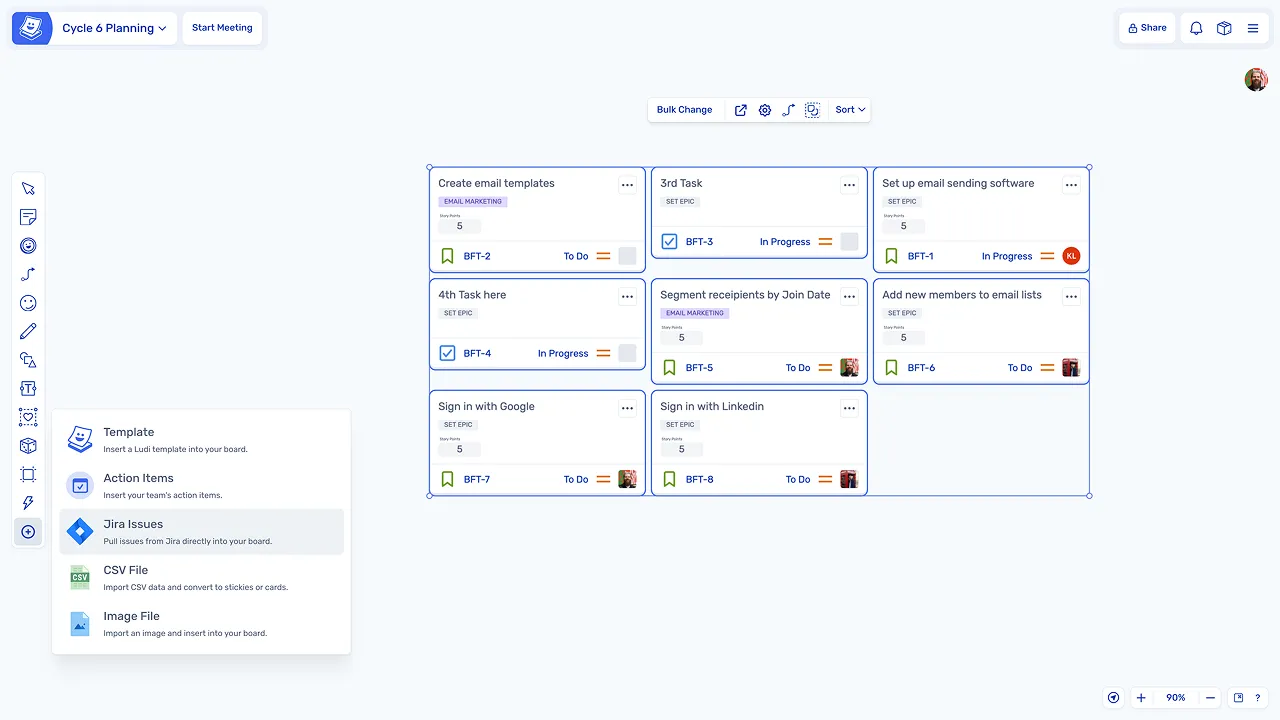
Bring backlog items onto the board
Jira backlog items are pulled onto the board so the team can see the full list of work visually, interact with stories, and drag items into the sprint together.
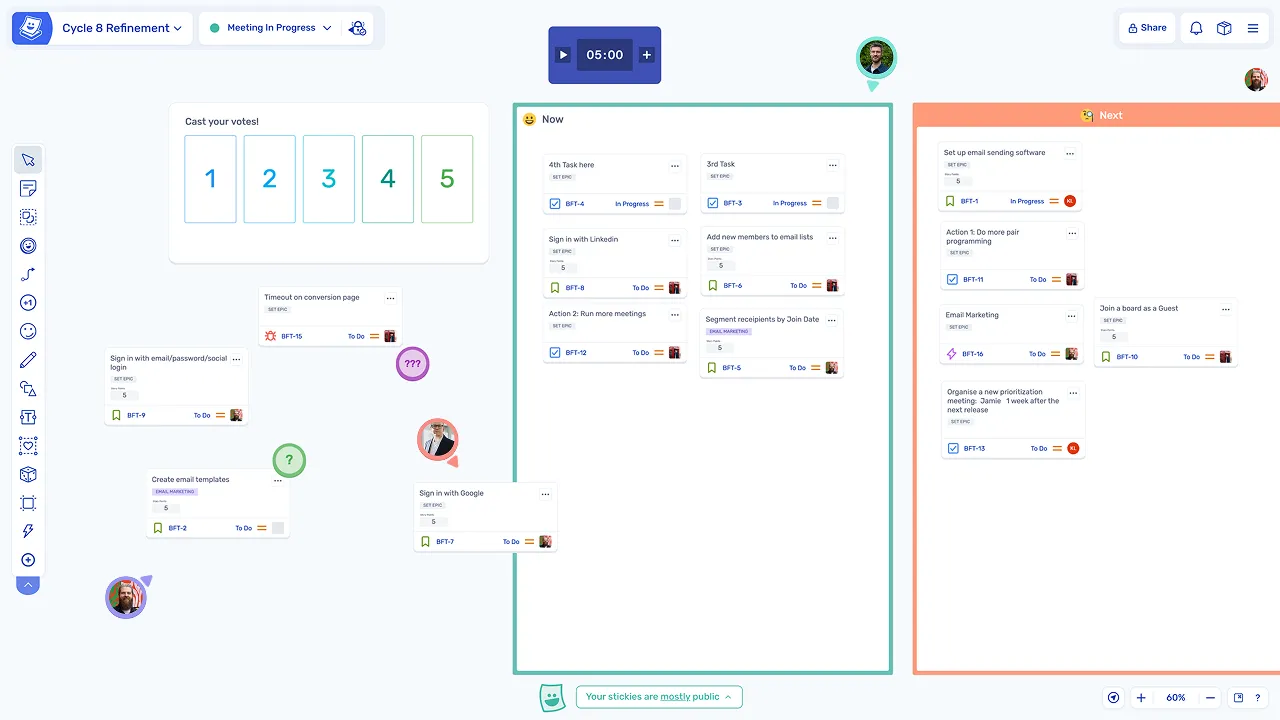
Select items for the sprint
Stories are dragged into zones such as Sprint Backlog and Not This Sprint to define what will be included, making scope decisions visible to the whole team in real time.
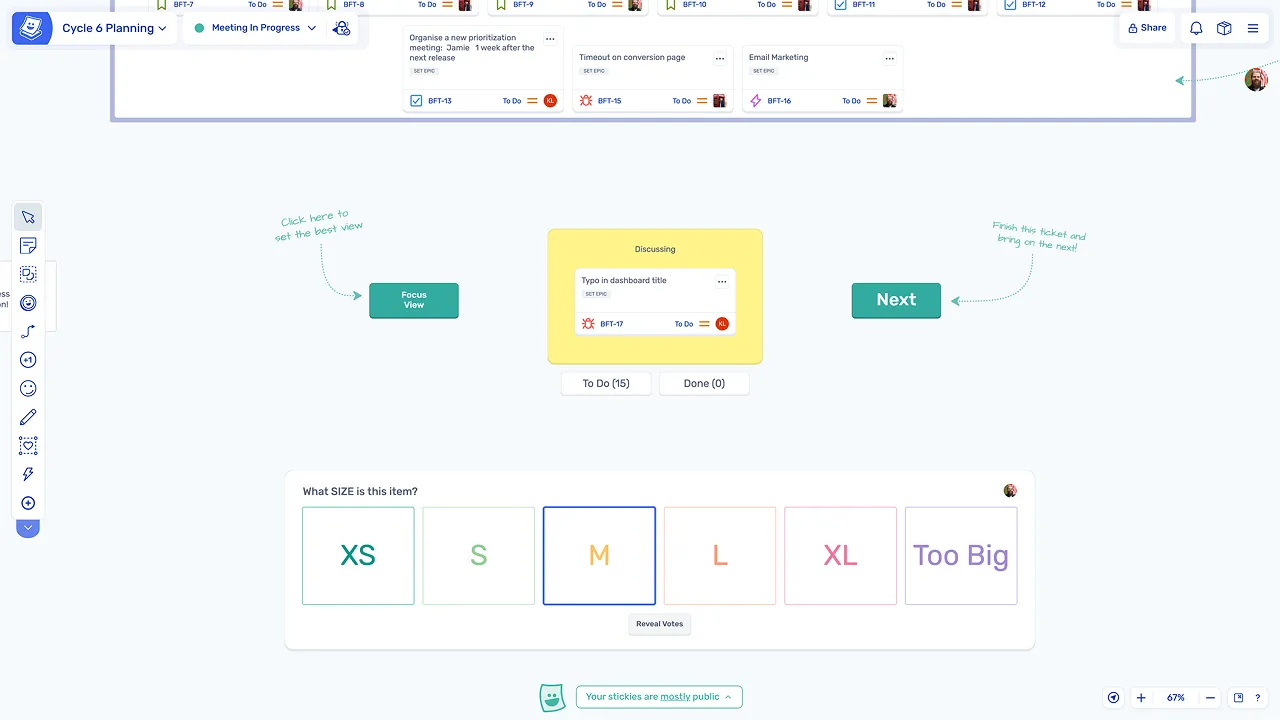
Estimate during planning if needed
Any unestimated stories can be estimated on the same board during the session, without switching to a separate estimation tool.
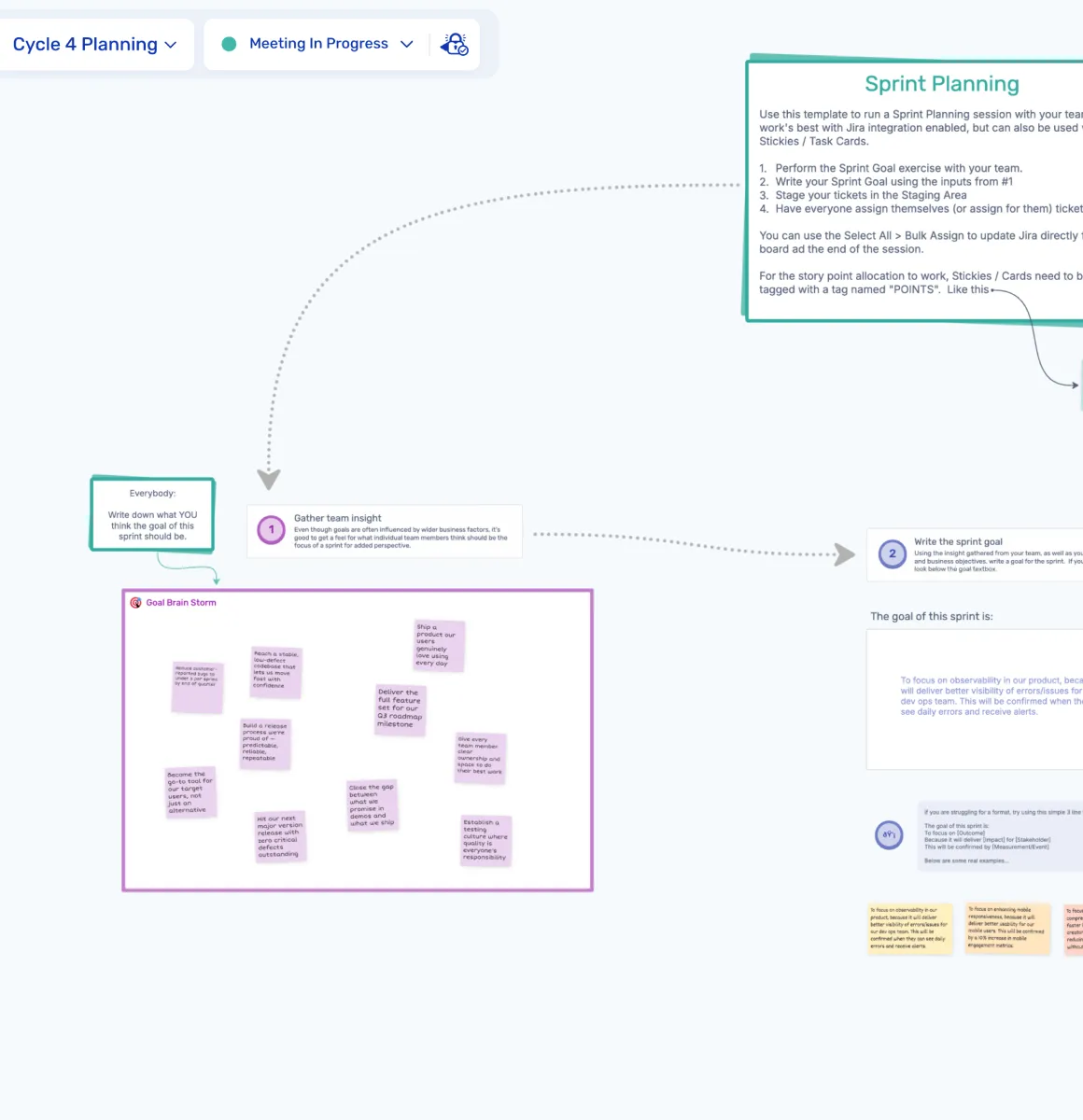
Commit to a sprint goal and sync to Jira
Discuss capacity, risks, and dependencies
The team reviews capacity, identifies risks, and discusses dependencies, capturing notes as sticky notes on the board so context is visible to everyone.
Set a sprint goal
The team defines a sprint goal together to guide the work for the upcoming sprint, capturing it on the board where everyone can see and refer back to it.
Sync changes back to Jira
All updates made during the session, including estimates, new issues, and assignments, sync back to Jira automatically with no manual follow-up required.
Explore other agile meetings
Sprint planning is one of several agile meetings teams run regularly. Explore other agile sessions you can run in Ludi.
Retrospectives
Reflect on what went well, what didn't, and what to improve with structured retros.
Backlog Refinement
Review, prioritise, and clarify backlog items with the whole team in one place.
User Story Estimation
Estimate effort collaboratively with structured estimation activities and planning poker.
Planning Poker
Run async-friendly poker estimation sessions to align the team on story complexity.
Daily Standups
Keep standups focused and async-friendly with a shared status board.
Story Mapping
Map user journeys and plan releases visually with collaborative story mapping boards.