

Made for Story Mapping
Why Ludi works well for story mapping
Story mapping relies on seeing the full user journey and organising work visually. Ludi gives teams a shared canvas where they can map activities, arrange stories, and define release scope together, combining the flexibility of a whiteboard with the structure and persistence of a digital tool.

See the full user journey
Activities and stories are arranged visually, making it easier to understand the flow of the user experience at a glance.

Organise and prioritise work visually
Stories can be moved, grouped, and reordered on the board, helping the team define priorities and identify gaps.

Define release scope clearly
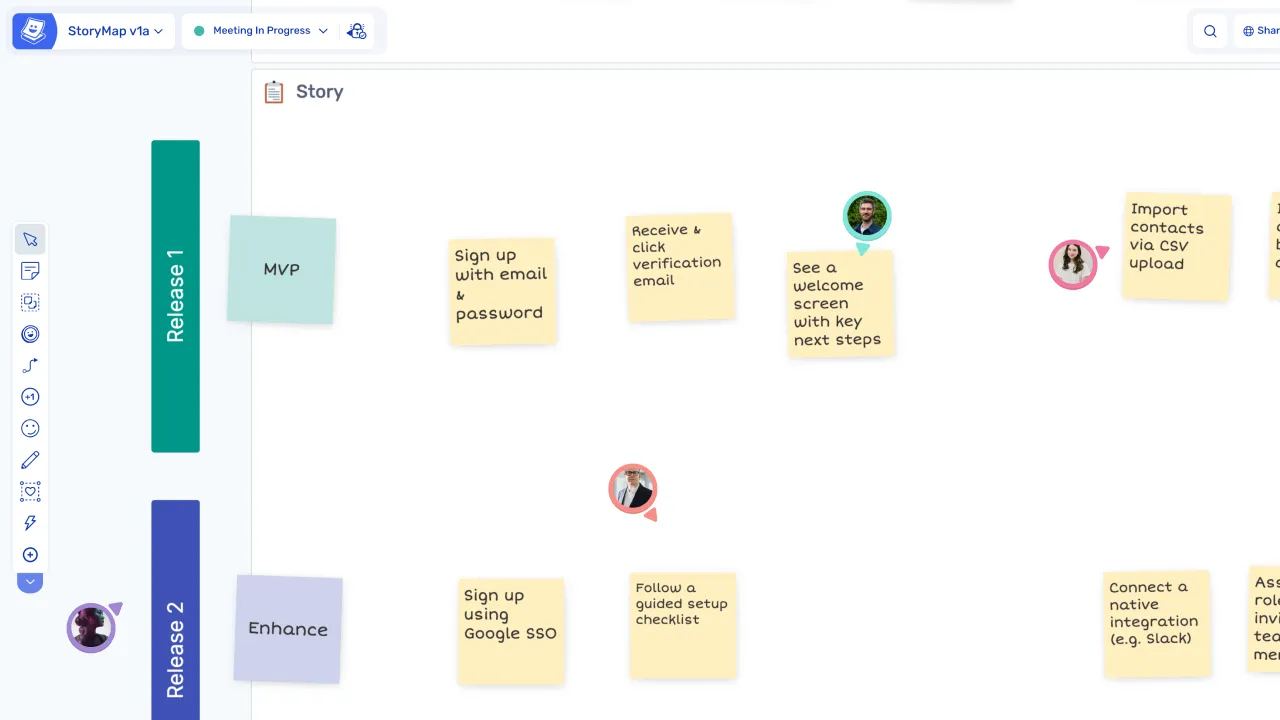
Release boundaries can be drawn directly on the board, making it clear what is included in the next release and what comes later.

From ideas to Jira issues instantly
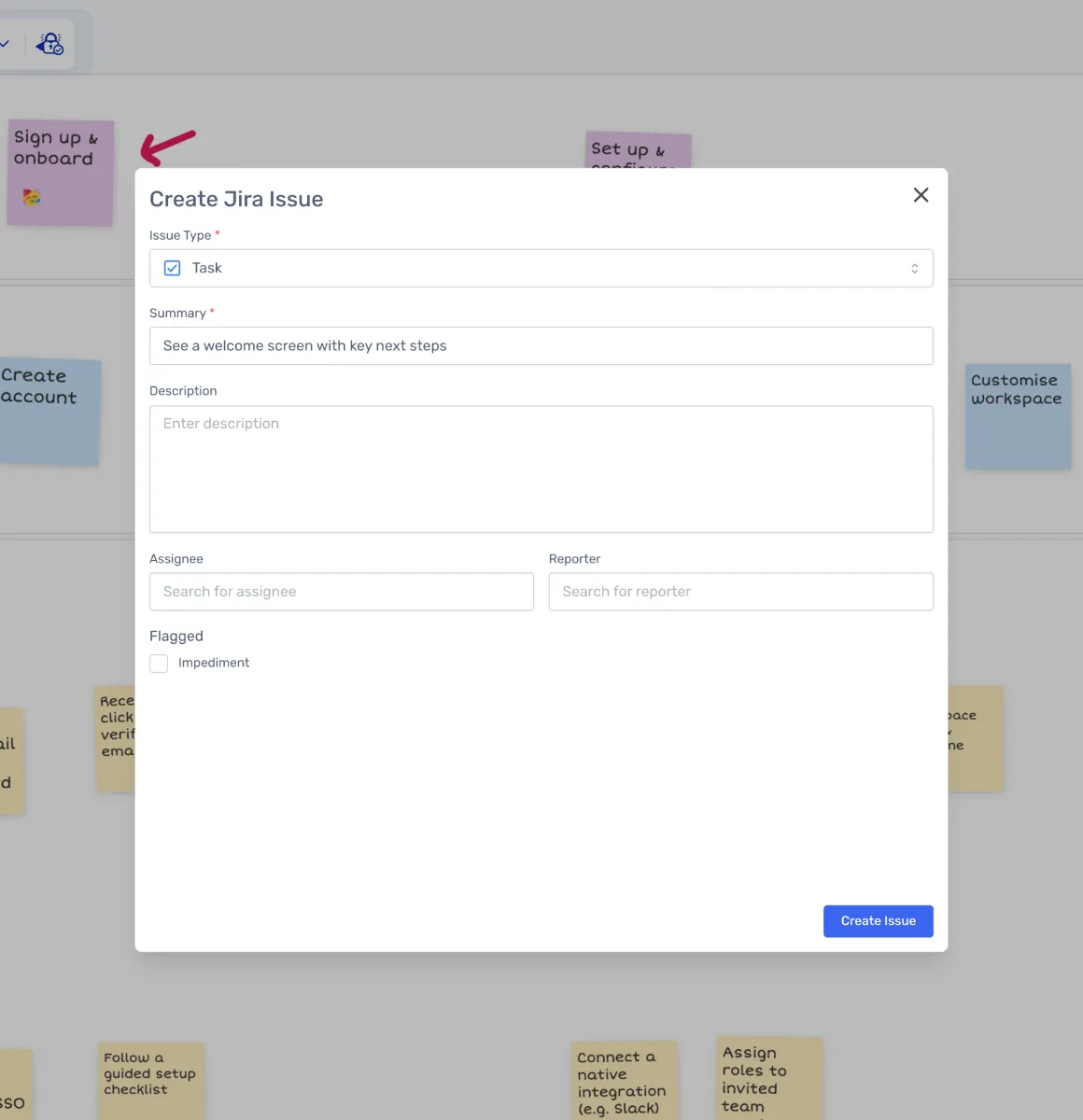
Stories created during the session can be converted into Jira issues without needing to transfer them manually.
What is Story Mapping?
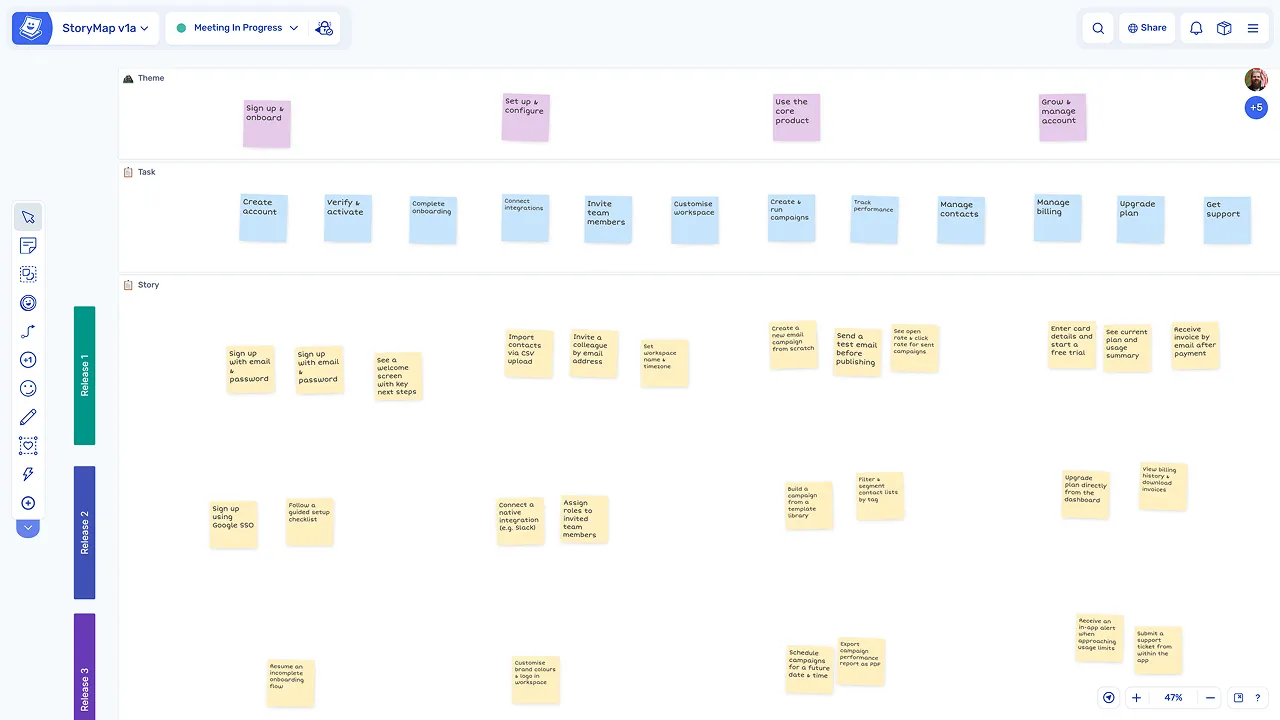
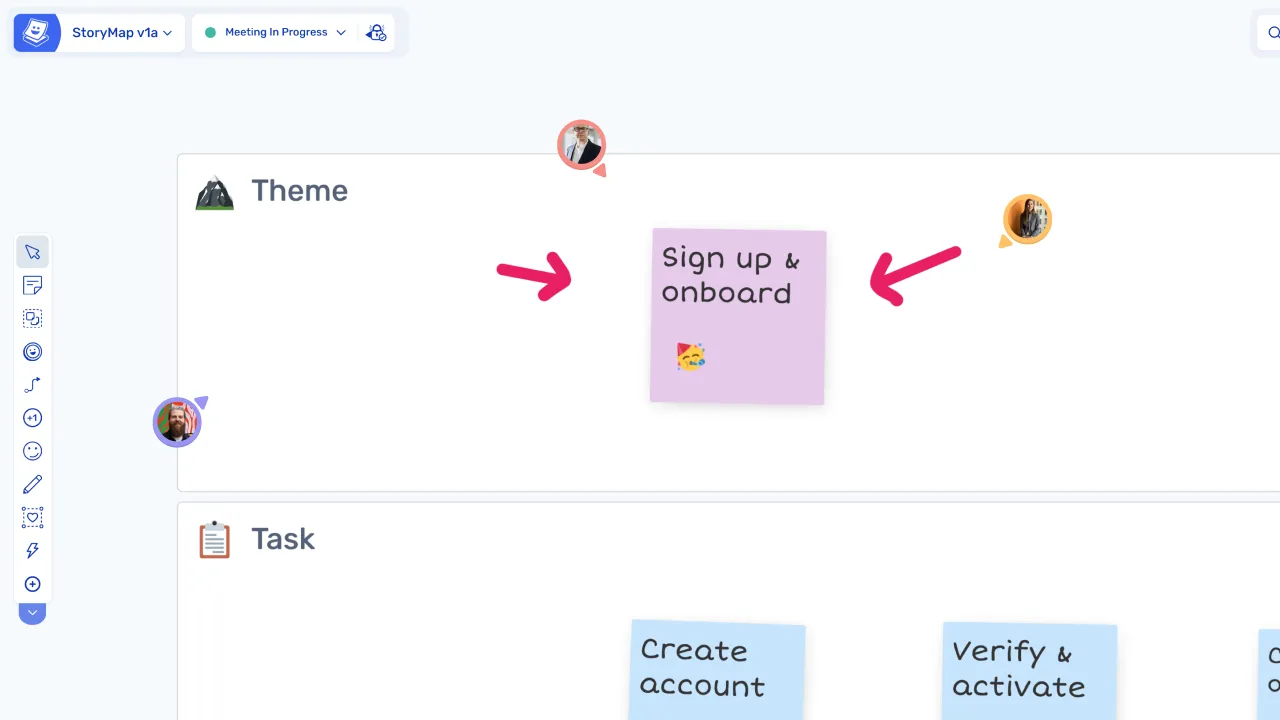
Story mapping is a session where the team builds a visual map of the user journey. Activities are placed across the top, and user stories are arranged underneath, ordered by priority.
This approach helps teams understand the full scope of a product or feature, identify what needs to be built first, and plan releases based on user value rather than technical order.
How teams run story mapping in Ludi
Start with a story mapping template
Teams use a template with a horizontal timeline of user activities to structure the session, so the backbone of the map is already in place when participants join.
Map the user journey
The team defines user activities across the top of the board, creating the backbone of the map, then adds stories and tasks underneath each activity to fill in the detail.
Define release boundaries
A horizontal line is drawn to separate what is included in the next release from what comes later, making scope decisions visible to the whole team and easy to adjust.
Refine, prioritise, and move to delivery
Discuss and refine the map
The team reviews the map together, reorders items, and identifies gaps or missing pieces, making sure the user journey is complete before committing to scope.
Prioritise and arrange stories
Stories are arranged by priority under each activity, helping the team understand dependencies and decide what to build first to deliver the most value.
Convert stories to Jira issues
Stories created during the session can be turned into Jira issues directly from the board, with no manual transfer required to move from planning to delivery.
Explore other agile meetings
Story mapping is one of several agile meetings teams run regularly. Explore other agile sessions you can run in Ludi.
Retrospectives
Reflect on what went well, what didn't, and what to improve with structured retros.
Sprint Planning
Plan your next sprint visually with drag-and-drop user stories and a shared board.
Backlog Refinement
Review, prioritise, and clarify backlog items with the whole team in one place.
User Story Estimation
Estimate effort collaboratively with structured estimation activities and planning poker.
Planning Poker
Run async-friendly poker estimation sessions to align the team on story complexity.
Daily Standups
Keep standups focused and async-friendly with a shared status board.